|
|
Top Previous Next |
Chart StylesUse this procedure to change the default plotting style for stock prices. Depending on the timeframe used for charts, the chart-style can either simplify the chart viewing, or provide additional information for making decisions about the price pattern of a stock. Furthermore, a variety of format options are available for changing chart colours and line styles.
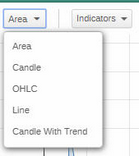
The below Chart Styles are available in TradeXpress (Click on the links to learn more about the charts) : 1.Area 2.Candle 3.OHLC 4.Line 5.Candle with Trend
PROCEDURE
To change Chart Styles: 1.On the side panel select 2.Select the the preferred chart style from the below highlighted drop-down.
Figure 01 - Select Chart Style
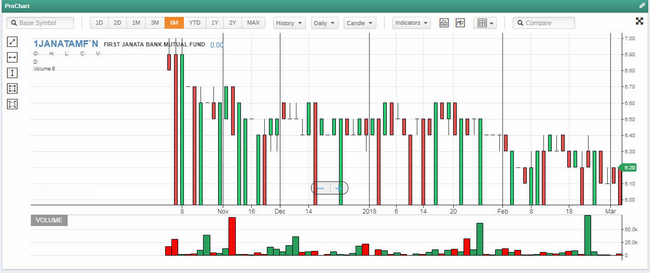
Candlestick bars also indicate the high-to-low range with a vertical line. However, in candlestick charting, the larger block in the middle indicates the range between the opening and closing prices. Traditionally, if the block in the middle is filled or colored in, then the stock closed lower than it opened. Thus for filled blocks, the top of the block is the opening price, and the bottom of the block is the closing price. If the closing price is higher than the opening price, then the block in the middle will be white or hollow or unfilled.
Figure 02 - Candle
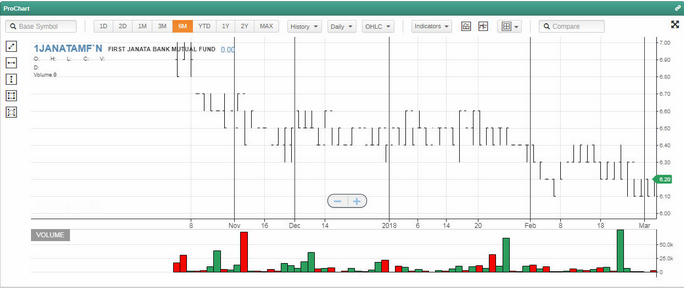
OHLC stands for the 4 elements displayed on a typical price bar: 1.Opening Price 2.Highest Price 3.Lowest Price 4.Closing Price
This type of chart is often used to spot trends and view stock movements, particularly on a shorter term basis.
Figure 03 - OHLC
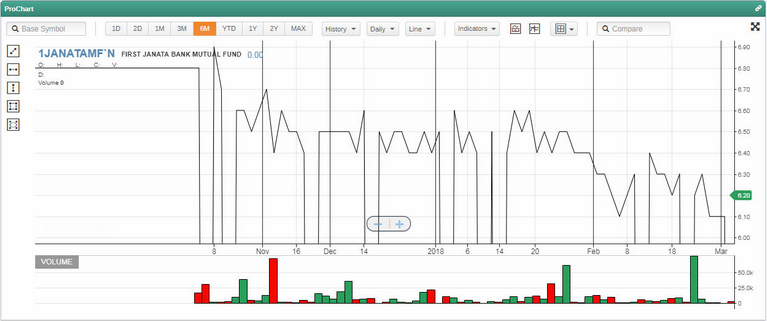
A line chart is the simplest type of chart. In a line chart, a single line represents the security's closing price on each day. Dates are displayed along the (X) axis (horizontal axis) and prices are displayed on the (Y) axis (vertical axis). It provides an uncluttered, easy to understand view of a security's price. Line charts are typically displayed using a security's closing prices.
Figure 04 - Line
|
 .
.