|
|
Top Previous Next |
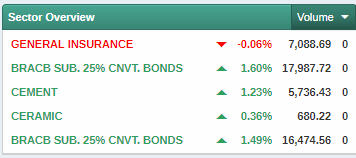
Sector OverviewUse this procedure to monitor the market sectors in the exchange based on Volume, Turnover, % change and Trades.The Sector Overview feature lets you view a summary of all sectors in a selected exchange in one window. You can see which sectors are doing well at a glance using this option.
Figure 01 - Sector Overview |