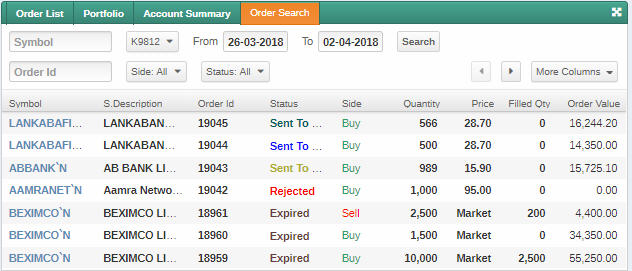
Use this procedure to search for all open, canceled, rejected orders you have placed in the past. By default the orders are displayed for the current date.
Figure 01 - Order Search
PROCEDURE
To search for orders:
1.On the side menu select and navigate to the Order Search window.