|
|
Top Previous Next |
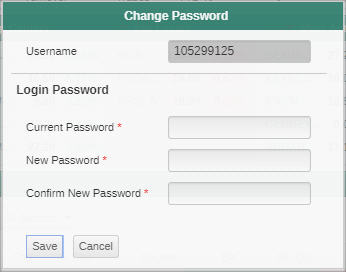
Change PasswordUser can change the password used to access TradeXpress app.PROCEDURE
To change the app password:
1.Click the 2.Select Change Password option. 3.Enter the Current password. 4.Enter the New password. 5.Enter the new password again to confirm. 6.Click Save to save the new password.
Figure 01 - Change Password |
 button at the top right-hand corner of the application.